How to use Verex
Verex is a demo prediction market: every trade is a real order matched in a central limit order book and settled on-chain (Gnosis Conditional Tokens + a CTF exchange). This page walks through the whole lifecycle with the actual screens.
1 · Demo wallets & the faucet
The wallet selector in the top-right corner switches between Demo Wallets #1–5 (regular traders, seeded with 1,000 test USDC each) and the Operator Wallet (the admin that provides liquidity and resolves markets). Everything you do — trades, positions, history — belongs to the wallet that is active.

Need more play money? Press Faucet — it mints 1,000 test USDC to the active demo wallet. Check the result right next to the wallet selector: the balance there updates immediately (it also appears at the top of your Portfolio). Buying with an empty balance also auto-faucets as a safety net, so you can never get stuck.
2 · Trade
Open any market and use the Trade panel: pick Yes or No, enter a USDC amount (BUY) or a token amount (SELL), and submit. Your order fills instantly against the order book — the operator's market-making ladder keeps both sides quoted — and the matched pair settles on-chain a moment later. Watch the small settling on-chain… → settled chip under the fill for the transaction hash; your position appears in the Portfolio as soon as it confirms.
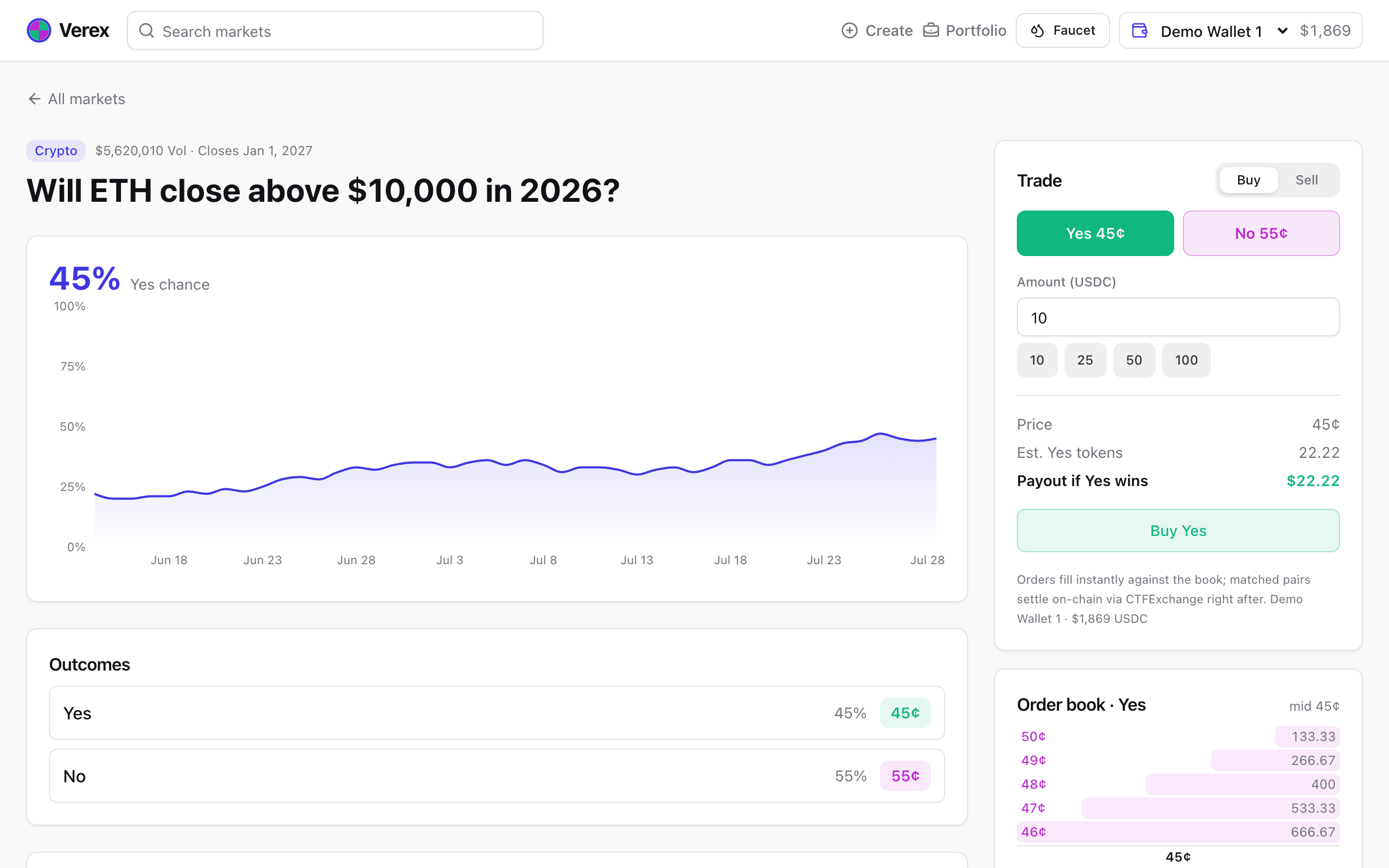
The Order book card shows the live depth around the mid price. Big orders walk through several price levels — the fill result shows your average price.
3 · Multi-outcome markets
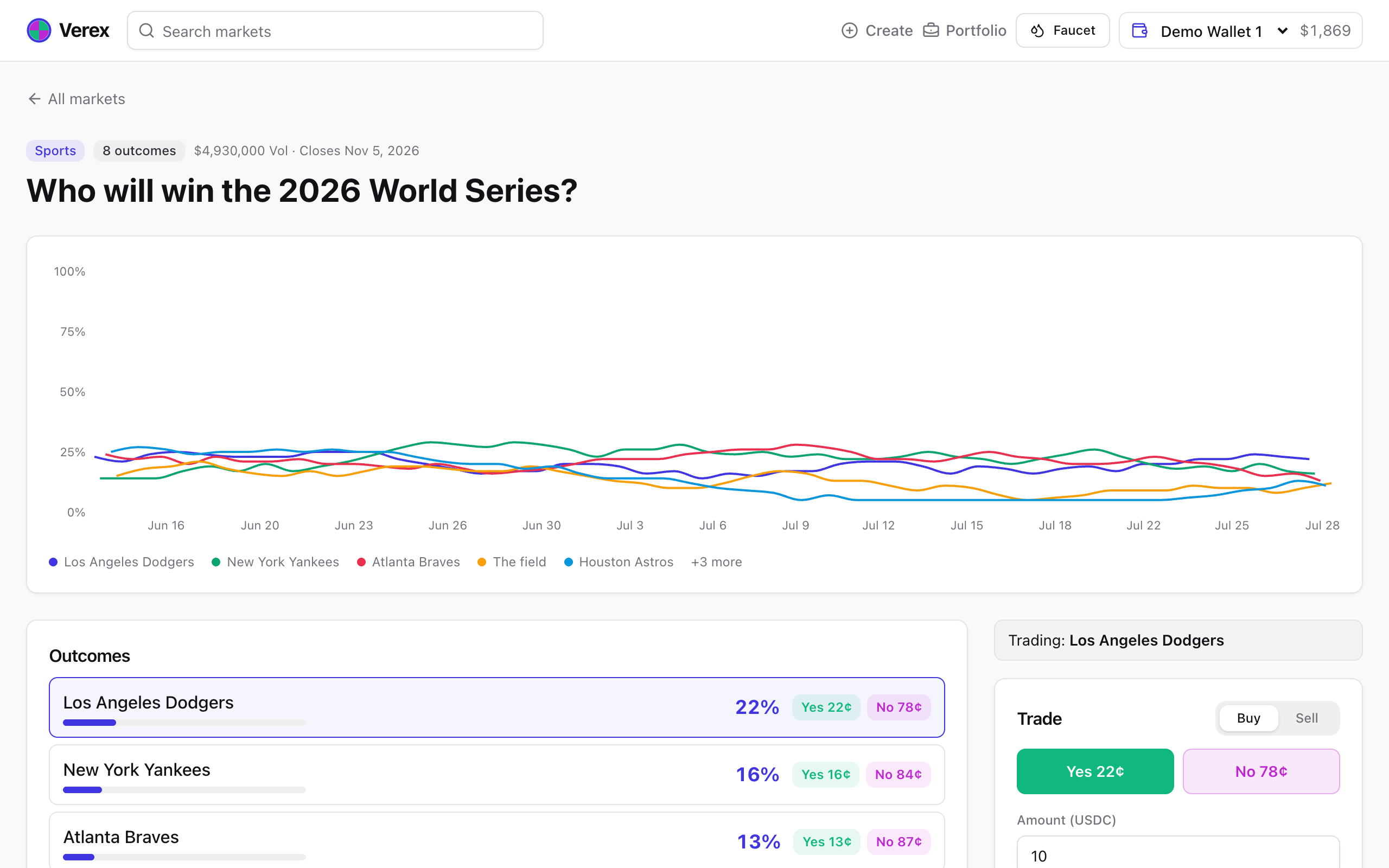
Questions like “Who will win the 2026 World Series?” have many candidates. Each candidate is its own Yes/No market under the hood, and the group keeps their probabilities summing to 100%: buying one candidate automatically re-prices the others. Click an outcome row to trade it; the chart tracks the top candidates over time.
4 · Resolve (operator)
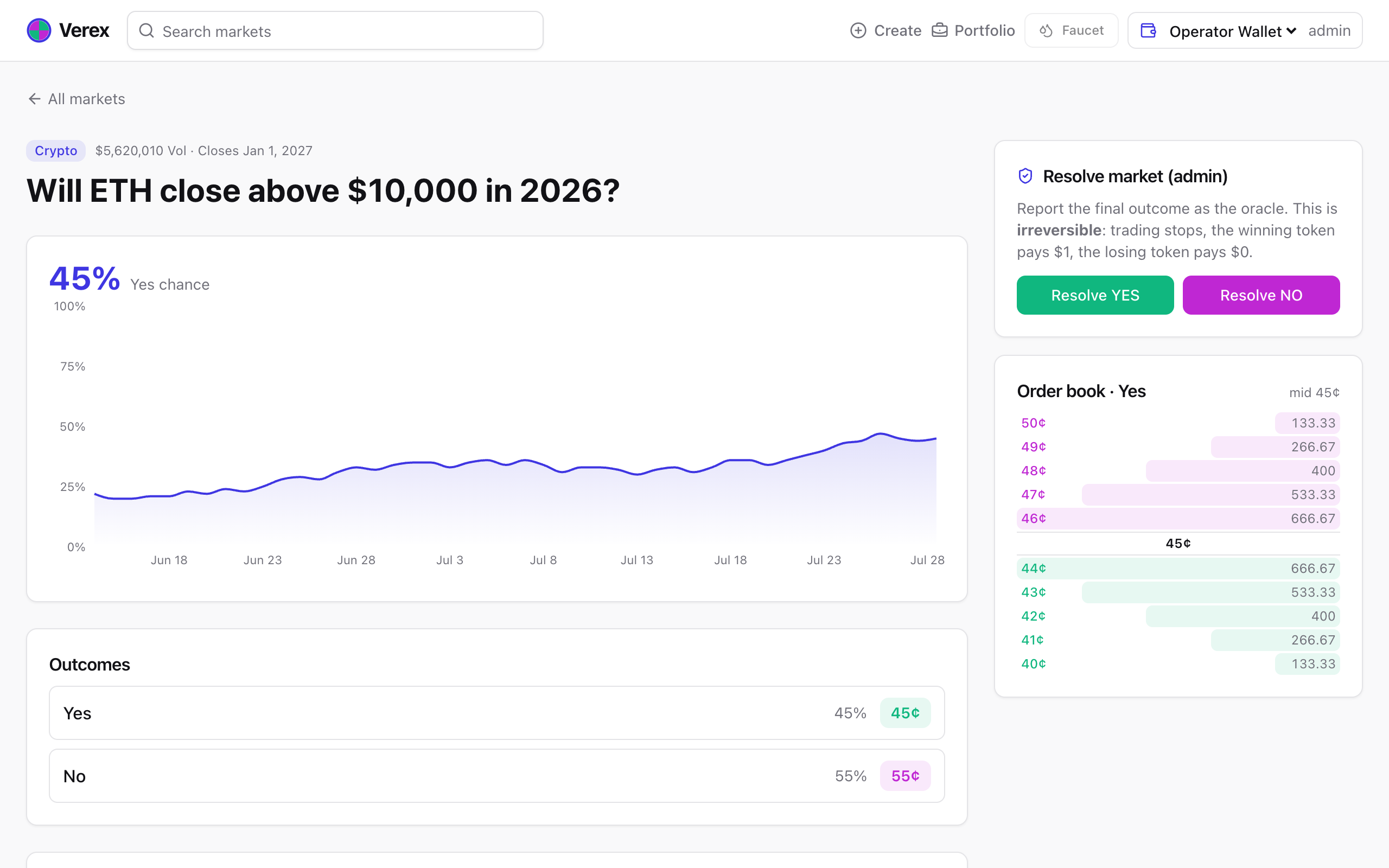
Switch the wallet selector to Operator Wallet and open a market: the trade panel becomes the Resolve panel. Report the final outcome (Yes/No — or pick the winner on a group page) and confirm. The market flips to RESOLVED immediately; the payout reports settle on-chain behind the status chip. Resolution is irreversible: winning tokens are now worth $1, losing tokens $0.
5 · Portfolio & redeem
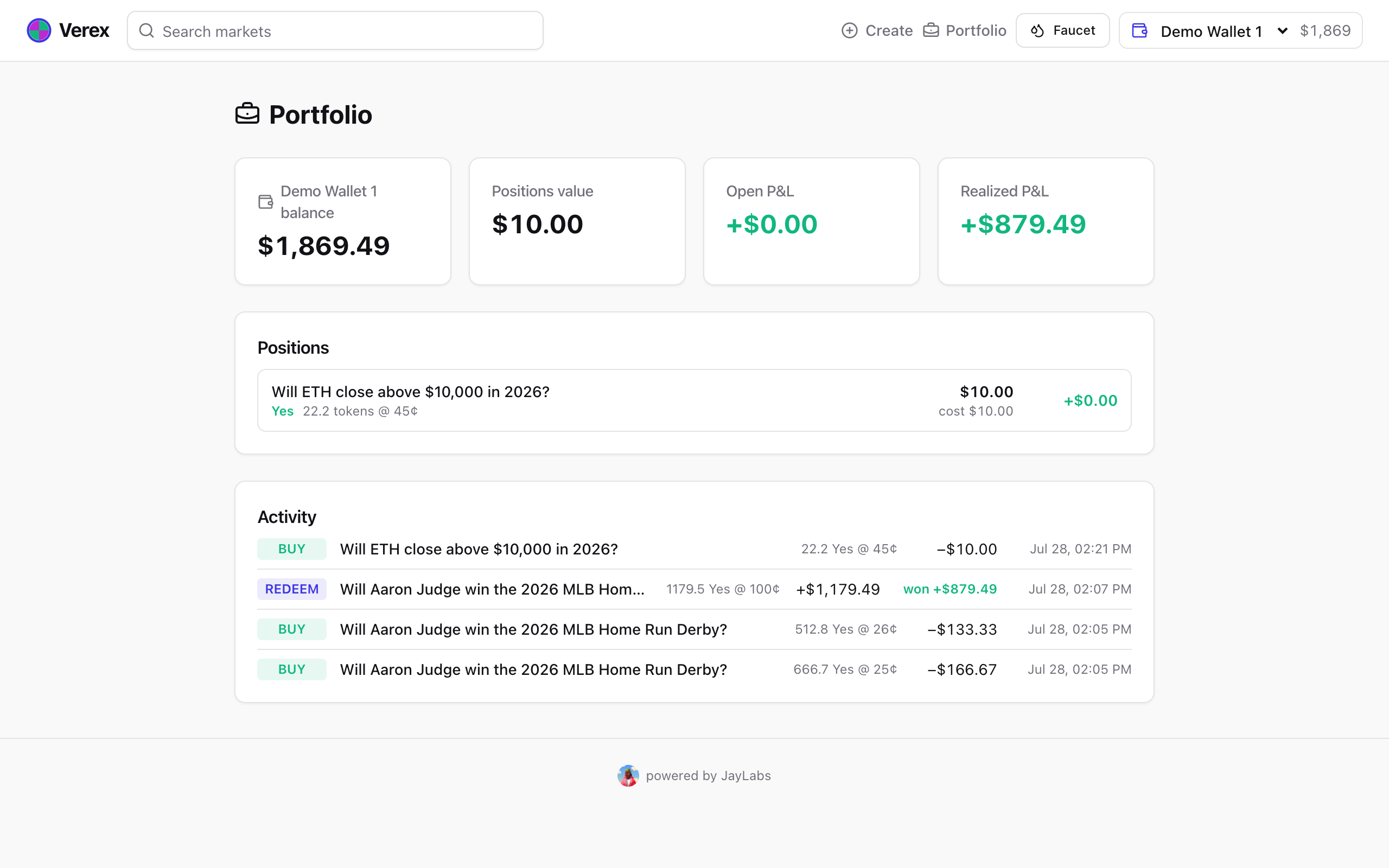
Portfolio shows the active wallet's USDC balance, every position with cost basis and P&L, and the full activity feed. After a market you hold resolves, the position shows WON or LOST and a Redeem button appears — press it to burn the tokens and collect $1 per winning token. The payout lands when the settlement chip confirms, and the redemption appears in the activity feed with its realized P&L (click the REDEEM tag for the breakdown).
6 · Create a market
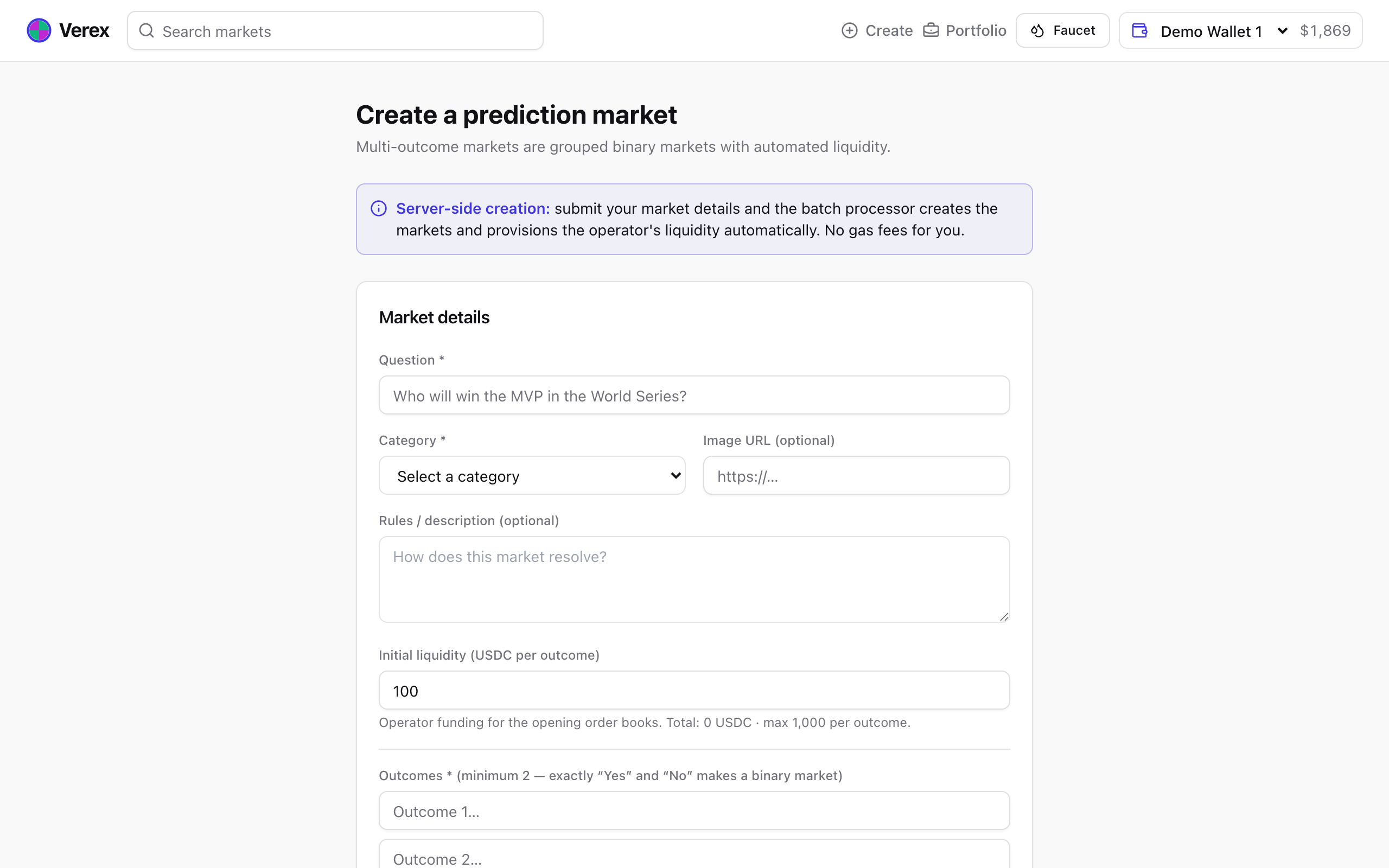
Anyone can create a market from Create in the top menu: write the question, pick a category, list at least two outcomes (exactly “Yes” and “No” makes a simple binary market), set the resolution time, and submit. The server creates every outcome on-chain and the operator funds the opening order books with the liquidity you chose (up to 1,000 USDC per outcome) — no gas needed from you. A progress bar tracks the batch; when it finishes you land on your new market.
The full demo loop
- Pick Demo Wallet #1 and hit Faucet — check the balance next to the selector.
- Buy Yes on any market (or a candidate in a group) and watch the chip settle.
- See the position and cost basis in Portfolio.
- Switch to the Operator Wallet and resolve the market your way.
- Switch back, Redeem from Portfolio, and check the realized P&L.
- Create your own market and trade it — the operator quotes it automatically.